PLEASE REFER TO THE BLOG
MSLUZZILOVESCOMPUTERS.BLOGSPOT.COM
FOR ALL YOUR SECOND SEMESTER NEEDS.
This blog will no longer be updated.
Sunday, January 30, 2011

Thursday, January 20, 2011
Thursday, January 13, 2011
LAST WEEK OF CLASSES!!! JANUARY 18-21
This is our last week together. Tuesday 1/18
YOU MUST EMAIL YOUR FINAL PROJECT TO ME TODAY
We will be scheduling your presentations today... Presentations begin tomorrow!
Wednesday 1/19
PRESENTATION DAY
Thursday 1/20
PRESENTATION DAY
Friday 1/21
(periods 6&7) PRESENTATION DAY and cookies, perhaps???
Monday 1/24
(period 1) PRESENTATION DAY and cookies, if you like...
Tuesday 1/18YOU MUST EMAIL YOUR FINAL PROJECT TO ME TODAY
We will be scheduling your presentations today... Presentations begin tomorrow!
Wednesday 1/19
PRESENTATION DAY
Thursday 1/20
PRESENTATION DAY
Friday 1/21
(periods 6&7) PRESENTATION DAY and cookies, perhaps???
Monday 1/24
(period 1) PRESENTATION DAY and cookies, if you like...
Sunday, January 9, 2011
week of Jan 10-14
Monday 1-10
Just Like Friday (only shorter...)
Save your Power Point presentations as 97-2003 version. Use YOUR NAME as the file name.
Today you will begin to take the research you have done and the survey data you have been gathering and you will begin to organize your project. You will have about a week to complete the project.
All of your writing must be in complete sentences. You may use bullet pointed lists or full paragraphs or both in combination.
You may use as many illustrations and images as you need to make your point clear.
Your presentation should have:
* A title slide which includes your name.
* A slide in which you present your argument.
* 2 or 3 slides in which you make your case using facts you found in your research. ***If you are comparing two things, you may want to use side by side comparison slides.***
* A slide (or 2) in which you present AND REFUTE the opposing side.
* A slide for your survey question(s) and chart.
* A conclusion slide.
* A bibliography slide (a list of the articles you used for your research).
Design with your audience in mind. Consider what type of illustrations, colors, etc. would appeal to your ideal audience!
THIS DOES NOT NEED TO BE COMPLETED TODAY. IT DOES NOT NEED TO BE EMAILED TODAY.
Tues 1-11
English Regents
Wednesday 1-12
Rough drafts are due today!
Ideally I'd like to spend this period going over rough drafts with you. Here's what should happen:
You will continue with your independent work to format your project. I will sit with each person individually for about 3 minutes and go over with you what you have so far, what you need, and how you can improve the overall project.
You do not need to accept my advice, but keep in mind that my suggestions are meant to be helpful, so it might be a good idea to follow through.
Thursday 1-13
Hey!!! Come to Art Club after school today!!! 3:45, Room 313.
ORIGAMI BIRD WORKSHOP!!!
Probably you weren't here yesterday... here's what you missed:
Rough drafts are due today!
Ideally I'd like to spend this period going over rough drafts with you. Here's what should happen:
You will continue with your independent work to format your project. I will sit with each person individually for about 3 minutes and go over with you what you have so far, what you need, and how you can improve the overall project.
You do not need to accept my advice, but keep in mind that my suggestions are meant to be helpful, so it might be a good idea to follow through.
Friday 1-14
First Period Only: THIS IS YOUR FINAL WORKING PERIOD FOR THIS PROJECT!
COMPLETED PROJECTS FROM ALL CLASSES MUST BE EMAILED TO ME BY THE END OF CLASS TUESDAY.
Just Like Friday (only shorter...)
Save your Power Point presentations as 97-2003 version. Use YOUR NAME as the file name.
Today you will begin to take the research you have done and the survey data you have been gathering and you will begin to organize your project. You will have about a week to complete the project.
All of your writing must be in complete sentences. You may use bullet pointed lists or full paragraphs or both in combination.
You may use as many illustrations and images as you need to make your point clear.
Your presentation should have:
* A title slide which includes your name.
* A slide in which you present your argument.
* 2 or 3 slides in which you make your case using facts you found in your research. ***If you are comparing two things, you may want to use side by side comparison slides.***
* A slide (or 2) in which you present AND REFUTE the opposing side.
* A slide for your survey question(s) and chart.
* A conclusion slide.
* A bibliography slide (a list of the articles you used for your research).
Design with your audience in mind. Consider what type of illustrations, colors, etc. would appeal to your ideal audience!
THIS DOES NOT NEED TO BE COMPLETED TODAY. IT DOES NOT NEED TO BE EMAILED TODAY.
Tues 1-11
English Regents
Wednesday 1-12
Rough drafts are due today!
Ideally I'd like to spend this period going over rough drafts with you. Here's what should happen:
You will continue with your independent work to format your project. I will sit with each person individually for about 3 minutes and go over with you what you have so far, what you need, and how you can improve the overall project.
You do not need to accept my advice, but keep in mind that my suggestions are meant to be helpful, so it might be a good idea to follow through.
Thursday 1-13
Hey!!! Come to Art Club after school today!!! 3:45, Room 313.
ORIGAMI BIRD WORKSHOP!!!
Probably you weren't here yesterday... here's what you missed:
Rough drafts are due today!
Ideally I'd like to spend this period going over rough drafts with you. Here's what should happen:
You will continue with your independent work to format your project. I will sit with each person individually for about 3 minutes and go over with you what you have so far, what you need, and how you can improve the overall project.
You do not need to accept my advice, but keep in mind that my suggestions are meant to be helpful, so it might be a good idea to follow through.
Friday 1-14
First Period Only: THIS IS YOUR FINAL WORKING PERIOD FOR THIS PROJECT!
COMPLETED PROJECTS FROM ALL CLASSES MUST BE EMAILED TO ME BY THE END OF CLASS TUESDAY.
YOU MUST BE PREPARED TO PRESENT ON WEDNESDAY!!!!!!!!!!!!!!!!!!!!!!!!!!!!
Sunday, January 2, 2011
week of Jan 3-7

Welcome back, my lovelies. I sure missed you!
This week we are going to begin our final project for our super fun computer class.
I know you are all going to cry every day after the semester ends because you won't be in my class and get to hear all kinds of cool stories about my cats and when I used to be in a motorcycle gang, but, let's make the best of the time we have left together.
Your final project will be a Power Point presentation. Of course, this will actually require you to present it. That means that the last couple days before regents week will be reserved for presentations, leaving you a pretty small window to get everything done. I'll break the work down in pieces for you so that you get a chunk of it done each day (if you follow the plan).
You will be delivering a PERSUASIVE presentation (like an essay, but broken up into individual segments and presented on PP slides)... You have to try to convince us, the audience, to agree with your idea. Here are some guidelines from a website I found (this is your Monday assignment!!):
Monday - 1/3
*note* I'll be doing this project along with you! Here's my response to today's assignment.
1) Pets improve the lives of their owners.
2) My audience are people who are considering getting a pet, but are not sure yet.
3) Health benefits of pet ownership. Lifestyle benefits of pet ownership. Emotional benefits of pet ownership.
4) Pets are expensive to own. Pets are smelly. Pets take up too much time. Pets are hard to train.
Tuesday - 1/4
Research:
Once you've decided on your topic you'll want to do a little research.
WHY???
Because your opinion is not enough. To be really persuasive you need FACTS!
The obvious place to start your research is Google... but it's NOT THE ONLY PLACE.
Here's a few:
Wikipedia
About.com
The libraries will allow you to use databases full of articles (Some only work if you have a library card!).
YOUR ASSIGNMENT:
Please find 3 articles to help support your point-of-view.
Find 1 article to support the opposing point-of-view.
Email me the links to your 4 articles TODAY.
sluzzi@uaagl.org
Here are example of my own searches for MY project topic: Pets!
Pets in Wikipedia
Here's an article I found by searching the word PETS in About.com. This is perfect for my topic!
Here's an article I found by searching a health-related database on Brooklyn Public Library's website. I also found this.
I even found an article on some negatives to owning a pet. Bummer.
Wednesday - 1/5
Oh, boy! It's time to do the real work!
Yesterday you found some source material
Read EACH of the articles you chose yesterday and search for information that supports your point of view.
The purpose of doing this research is to help you build a strong case.
YOUR ASSIGNMENT:
Here's my example:
Thursday - 1/6
Design Your Survey
Your survey will be used to gather information from friends, family and classmates about your topic. It may be a simple Agree/ Disagree survey with a single question or it may ask multiple questions. These can be Yes/ No questions or a more complex multiple choice questionnaire.
Assignment:
Please design your survey and submit it to me in an email. You may type it directly into the email or create a word document. If there is time this class period, please survey your classmates and collect and save the data.
You will use this data to create a chart. This chart will go into your Power Point presentation (which you will begin to format tomorrow if you are in periods 6 or 7 or on Monday if you are in period 1).
Here is my example survey. It is a series of 5 Yes/ No questions which I will use to gather information from pet owners about their experiences living with their pet.
This survey is designed for current pet owners.
1- Do you seek out your pet's companionship in times of stress? Yes/ No
2- Do you ever talk about your feelings with your pet? Yes/ No
3- Do you play or exercise with your pet regularly? Yes/ No
4- Does your pet sleep with you or another member of your household? Yes/ No
5- Is yours a multi-pet household (more than one pet?) Yes/ No
Friday - 1/7
Save your Power Point presentations as 97-2003 version. Use YOUR NAME as the file name.
Today you will begin to take the research you have done and the survey data you have been gathering and you will begin to organize your project. You will have about a week to complete the project.
All of your writing must be in complete sentences. You may use bullet pointed lists or full paragraphs or both in combination.
You may use as many illustrations and images as you need to make your point clear.
Your presentation should have:
THIS DOES NOT NEED TO BE COMPLETED TODAY. IT DOES NOT NEED TO BE EMAILED TODAY.
This week we are going to begin our final project for our super fun computer class.
I know you are all going to cry every day after the semester ends because you won't be in my class and get to hear all kinds of cool stories about my cats and when I used to be in a motorcycle gang, but, let's make the best of the time we have left together.
Your final project will be a Power Point presentation. Of course, this will actually require you to present it. That means that the last couple days before regents week will be reserved for presentations, leaving you a pretty small window to get everything done. I'll break the work down in pieces for you so that you get a chunk of it done each day (if you follow the plan).
You will be delivering a PERSUASIVE presentation (like an essay, but broken up into individual segments and presented on PP slides)... You have to try to convince us, the audience, to agree with your idea. Here are some guidelines from a website I found (this is your Monday assignment!!):
Monday - 1/3
Essential steps for writing a persuasive essay:
Identify your main idea or point of view. Your purpose will be to persuade your audience to accept this idea or point of view.
Identify your audience. To write an effective persuasive essay, try to understand your audience. For example, are your readers undecided about your issue? Or are your readers hostile to your point of view?
Considering your audience, identify the strongest supporting points for your persuasion.
Identify the most significant opposing view. Explaining and then refuting the opposing view strengthens the credibility and scope of your essay.
*note* I'll be doing this project along with you! Here's my response to today's assignment.
1) Pets improve the lives of their owners.
2) My audience are people who are considering getting a pet, but are not sure yet.
3) Health benefits of pet ownership. Lifestyle benefits of pet ownership. Emotional benefits of pet ownership.
4) Pets are expensive to own. Pets are smelly. Pets take up too much time. Pets are hard to train.
Tuesday - 1/4
Research:
Once you've decided on your topic you'll want to do a little research.
WHY???
Because your opinion is not enough. To be really persuasive you need FACTS!
The obvious place to start your research is Google... but it's NOT THE ONLY PLACE.
Here's a few:
Wikipedia
About.com
The libraries will allow you to use databases full of articles (Some only work if you have a library card!).
YOUR ASSIGNMENT:
Please find 3 articles to help support your point-of-view.
Find 1 article to support the opposing point-of-view.
Email me the links to your 4 articles TODAY.
sluzzi@uaagl.org
Here are example of my own searches for MY project topic: Pets!
Pets in Wikipedia
Here's an article I found by searching the word PETS in About.com. This is perfect for my topic!
Here's an article I found by searching a health-related database on Brooklyn Public Library's website. I also found this.
I even found an article on some negatives to owning a pet. Bummer.
Wednesday - 1/5
Oh, boy! It's time to do the real work!
Yesterday you found some source material
Read EACH of the articles you chose yesterday and search for information that supports your point of view.
The purpose of doing this research is to help you build a strong case.
YOUR ASSIGNMENT:
- Create a Word document.
- Save it as:Your_Name_1-5-11.doc
- Paste the URL of your First Article on the top of the page. Underneath that, cut and paste 4 QUOTES from that article that support your point of view.
- Do the same for your 2nd and 3rd articles (4 quotes each!).
- For your 4th article, the one that opposed your point of view, paste the URL and 2 quotes that oppose your point of view.
- EMAIL THIS TO ME TODAY - sluzzi@uaagl.org
Here's my example:
http://en.wikipedia.org/wiki/Pets
Pets also generally seem to provide their owners with non-trivial health benefits;[1] keeping pets has been shown to help relieve stress to those who like having animals around.
Walking a dog can provide both the owner and the dog with exercise, fresh air, and social interaction.
Pets have the ability to stimulate their caregivers, in particular the elderly, giving people someone to take care of, someone to exercise with, and someone to help them heal from a physically or psychologically troubled past.
A recent study concluded that owning a pet can reduce the risk of a heart attack by 2% and that pets are better than medication in reducing blood pressure.
http://stress.about.com/od/lowstresslifestyle/a/petsandstress.htm
in a recent study, groups of hypertensive New York stockbrokers who got dogs or cats were found to have lower blood pressure and heart rates than those who didn’t get pets.
dog owners do spend more time walking than non-pet owners, at least if we live in an urban setting. Because exercise is good for stress management and overall health, owning a dog can be credited with increasing these benefits.
When we’re out walking, having a dog with us can make us more approachable and give people a reason to stop and talk, thereby increasing the number of people we meet, giving us an opportunity to increase our network of friends and acquaintances, which also has great stress management benefits.
Recent research shows that, when conducting a task that’s stressful, people actually experienced less stress when their pets were with them than when a supportive friend or even their spouse was present!
http://www.cdc.gov/healthypets/health_benefits.htm
Pets can decrease your:
Blood pressure
Cholesterol levels
Triglyceride levels
Feelings of loneliness
Pets can increase your:
Opportunities for exercise and outdoor activities
Opportunities for socialization
The American Veterinary Medical Association (AVMA) issued a statement supporting the health benefits of animal companionship for people.
The Delta Society provides abstracts, articles, and bibliographies on the health benefits of animals to people.
http://www.petcoscoop.com/2009/04/youre-giving-your-pet-away/
Did you know your turtle will live up to 50 years?
Did you know that puppy will be 70 lbs full grown?
Thursday - 1/6
Design Your Survey
Your survey will be used to gather information from friends, family and classmates about your topic. It may be a simple Agree/ Disagree survey with a single question or it may ask multiple questions. These can be Yes/ No questions or a more complex multiple choice questionnaire.
Assignment:
Please design your survey and submit it to me in an email. You may type it directly into the email or create a word document. If there is time this class period, please survey your classmates and collect and save the data.
You will use this data to create a chart. This chart will go into your Power Point presentation (which you will begin to format tomorrow if you are in periods 6 or 7 or on Monday if you are in period 1).
Here is my example survey. It is a series of 5 Yes/ No questions which I will use to gather information from pet owners about their experiences living with their pet.
This survey is designed for current pet owners.
1- Do you seek out your pet's companionship in times of stress? Yes/ No
2- Do you ever talk about your feelings with your pet? Yes/ No
3- Do you play or exercise with your pet regularly? Yes/ No
4- Does your pet sleep with you or another member of your household? Yes/ No
5- Is yours a multi-pet household (more than one pet?) Yes/ No
Friday - 1/7
Save your Power Point presentations as 97-2003 version. Use YOUR NAME as the file name.
Today you will begin to take the research you have done and the survey data you have been gathering and you will begin to organize your project. You will have about a week to complete the project.
All of your writing must be in complete sentences. You may use bullet pointed lists or full paragraphs or both in combination.
You may use as many illustrations and images as you need to make your point clear.
Your presentation should have:
- A title slide which includes your name.
- A slide in which you present your argument.
- 2 or 3 slides in which you make your case using facts you found in your research. ***If you are comparing two things, you may want to use side by side comparison slides.***
- A slide (or 2) in which you present AND REFUTE the opposing side.
- A slide for your survey question(s) and chart.
- A conclusion slide.
- A bibliography slide (a list of the articles you used for your research).
THIS DOES NOT NEED TO BE COMPLETED TODAY. IT DOES NOT NEED TO BE EMAILED TODAY.
Saturday, December 18, 2010
Week of Dec 20-23
 Meet Linden! She's the baby of the family.
My kitty friends are so happy to tell you that this is a shortened week. They also would like to say, Buon Natale! (Which is Italian for Merry Christmas). (The fact that my cats are multi-lingual should come as no surprise. Cortelyou often sings to himself in Spanish while taking his bath).
WELL, NOW... I gather a fair number of you, my dearly beloved Computer Apps Students, have found the last couple weeks pretty un-fun, what with the Excel spreadsheets and those dastardly Word templates, but fret not, young pups... things are looking up!
Thursday
12/23
WELL, NOW... I gather a fair number of you, my dearly beloved Computer Apps Students, have found the last couple weeks pretty un-fun, what with the Excel spreadsheets and those dastardly Word templates, but fret not, young pups... things are looking up!
Welcome... to Power Point!
Monday
12/20
YOUR ASSIGNMENT:
Open a NEW presentation in Power Point. Save it as 1220-your-name (for instance: 1220-ms-luzzi)
The lessons you will be using are all online. The links for them are below.
Please read lesson 2 and complete the challenge
Please read lesson 3 and complete the challenge
Please read lesson 4 and complete the challenge
Please perform all of the challenges in the same presentation and email that presentation to me at: sluzzi@uaagl.org
Tuesday
12/21
If you want, you can use the same power point file you made yesterday to do today's assignment.
Please read lesson 5 and complete the challenge
Please read lesson 6 and complete the challenge
Please read lesson 7 and complete the challenge
skip #8
Please read lesson 9 and complete the challenge
Please attach the Power Point file (ALL CHALLENGES IN ONE FILE) to an email and send it to me TODAY!!!
Wednesday
12/22
12/20
YOUR ASSIGNMENT:
Open a NEW presentation in Power Point. Save it as 1220-your-name (for instance: 1220-ms-luzzi)
The lessons you will be using are all online. The links for them are below.
Please read lesson 2 and complete the challenge
Please read lesson 3 and complete the challenge
Please read lesson 4 and complete the challenge
Please perform all of the challenges in the same presentation and email that presentation to me at: sluzzi@uaagl.org
Tuesday
12/21
If you want, you can use the same power point file you made yesterday to do today's assignment.
Please read lesson 5 and complete the challenge
Please read lesson 6 and complete the challenge
Please read lesson 7 and complete the challenge
skip #8
Please read lesson 9 and complete the challenge
Please attach the Power Point file (ALL CHALLENGES IN ONE FILE) to an email and send it to me TODAY!!!
Wednesday
12/22
If you want to continue with the power point from yesterday you may... or you can start with a fresh one.
skip 12 & 13
Thursday
12/23
FUN DAY!!! ENJOY YOUR BREAK!!!
Sunday, December 12, 2010
Week of Dec 13-17
 Dudes... You can't hide from the fact that we're almost half way through the marking period.
************************************************************
Happy MONDAY!!!
December 13, 2010
I don't know about you, but I've been so busy that I haven't given a single thought to my Christmas shopping. SOOOOOO... I sat down with my cat, Cortelyou, and we talked it over. He had a lot of great suggestions for our family and friends.
Together we made an Excel spreadsheet to help us get organized and make the shopping that much easier! Giving gifts feels great and we don't want to miss out on the smiles on the faces of the cats and the people we love!
Excel has an easy to use template for organizing our gift giving experience!
Check it out:

Open a NEW Excel Workbook and look for the PLANNERS templates.
Look for the Christmas Present Planner

Fill in the fields. Notice that Excel will do the math for you... It shows you how much you'll spend. Chances are you're not planning to buy gifts this year or you don't celebrate Christmas. In either case, you have 2 options: A) Just make it up or B) Try out a different Planner Template.
ASSIGNMENT:
***************************************************
Tuesday
December 14
***Special note for 1st period. PLEASE COMPLETE YOUR NEWSLETTER PROJECT FROM LAST WEEK. WE WILL RETURN TO EXCEL TOMORROW!
Today's Assignment
 Spreadsheet (information design): How much am I really spending each week?
Today you will gather information about the expenses you incur throughout the day, the week, and the month, and organize that information on a spreadsheet. You may be surprised by what you learn about your own spending habits.
Information you must include:
**********************************************************************
Wednesday
December 15

Happy Wednesday:
Today's a great day for housekeeping!
Have you turned in all the work you should have? Have you taken all the quizzes? Do you know where all your files are??? I will be turning in your 5-week progress report grades THIS WEEKEND.
If you have a 55 in this class you can expect a call home by the end of next week.
Today's Assignment:
If you have not completed yesterday's spreadsheet, please do so. Once it is finished, print it out and turn it in.
AFTER THAT...
Go on, kid... get a job!
Today we will construct a resume using a template in MS Word.
A resume is a sort of list that gives people information about your educational and work experience.
You already know how to access the templates in Word. If you can't quite remember, look here and here.
Look in the template menu for the heading resumes and CVs (A CV is essentially the same thing as a resume). There are 3 sub-categories. Choosing BASIC RESUMES is probably the best choice at this point, though you are welcome to explore the other two categories. SELECT ANY RESUME WHOSE STYLE YOU LIKE. Keep in mind, you have WAY MORE educational experience than work experience so you should probably choose one that lists education on top.
BE CREATIVE WITH THIS... No one with a job tells the whole truth on their resume.I'm not saying you should lie... I'm just saying: make the truth sound a little better than it is.
Thursday
December 16
Today is another GREAT day to catch up on any work you've missed.
Have you turned in all the assignments listed in this blog?
Have you taken all 3 quizzes?
Are you unsure about either of those questions?
Yesterday you began to put together a resume. Some of you even printed it out and turned it in... but you're not really finished yet.
PAIR UP with a partner. Exchange and read each others' resumes.
Look for typos. Look for errors. Look for areas where you could fluff up those resumes to make them sound more professional.
We will have a class discussion about 15 minutes into the period on what makes a good resume... and what makes the kind of resume an employer will toss in the trash.
Friday
December 17
HEY PERIOD ONE COMPUTER APPS... Remember when I kept forgetting to give you time to finish those NEWSLETTERS??? Well, today's, the day... here's that assignment again.
Have at it:
Let's make a cool newsletter, dudes!
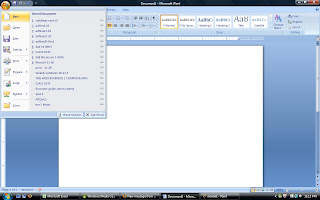
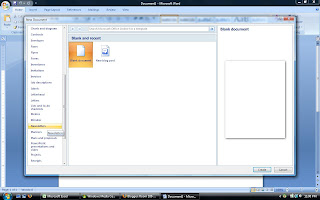
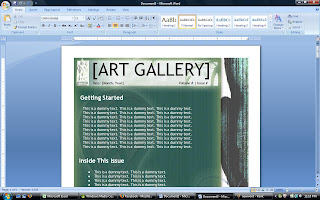
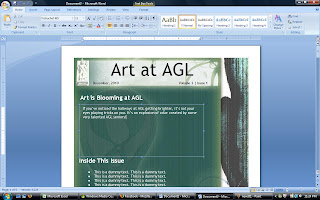 You can choose any template from the template options in Word... then you just replace the text from the template with your own text.
A newsletter is a lot like a blog, except it's printed out and intended for a more limited audience.
YOUR ASSIGNMENT: Today and tomorrow, find out some Winter Fun events in either your neighborhood, the school's neighborhood, within the AGL community, or just around the city.
BPL
QPL
Prospect Park
Central Park
Newsletters: What's the Point???
Ms Luzzi, why are we making newsletters? and... What is a newsletter, anyway? Wikipedia says: newsletters are published by clubs, churches, societies, associations, and businesses, especially companies, to provide information of interest to their members, customers or employees.
A newsletter is a type of publication, often printed, but just as often published online. For more about what a newsletter is, read the assignment intro from yesterday.
And as for WHY we are doing this, by doing this project you will:

December 13, 2010
I don't know about you, but I've been so busy that I haven't given a single thought to my Christmas shopping. SOOOOOO... I sat down with my cat, Cortelyou, and we talked it over. He had a lot of great suggestions for our family and friends.
Together we made an Excel spreadsheet to help us get organized and make the shopping that much easier! Giving gifts feels great and we don't want to miss out on the smiles on the faces of the cats and the people we love!
Excel has an easy to use template for organizing our gift giving experience!
Check it out:

Open a NEW Excel Workbook and look for the PLANNERS templates.
Look for the Christmas Present Planner

Fill in the fields. Notice that Excel will do the math for you... It shows you how much you'll spend.
 Chances are you're not planning to buy gifts this year or you don't celebrate Christmas. In either case, you have 2 options: A) Just make it up or B) Try out a different Planner Template.
ASSIGNMENT:
- Fill in the template (using real or made-up people and gifts). Use at least 3 people for each category (you do not need to fill in the "email" columns).
- Print out your completed work and hand it in with your name on it.
- After finishing, for about 10-15 minutes, experiment with Excel. Try designing a chert similar to the one you just filled out. Can you change colors? Draw borders? You will not hand this in. Just see what you can do... we will go further tomorrow in designing a spread sheet together.
***************************************************
Tuesday
December 14
***Special note for 1st period. PLEASE COMPLETE YOUR NEWSLETTER PROJECT FROM LAST WEEK. WE WILL RETURN TO EXCEL TOMORROW!
Today's Assignment
 Spreadsheet (information design): How much am I really spending each week?
Today you will gather information about the expenses you incur throughout the day, the week, and the month, and organize that information on a spreadsheet. You may be surprised by what you learn about your own spending habits.
Information you must include:
- Your name and class period
- A title for your spreadsheet
- The days of the week
- The categories of your expenses (such as food, clothes, books, music, etc.)
- The amounts you spend per item, per day
- Addition of each day's expenses
- A weekly total
- A monthly total
- Fill in cells
- Change colors of cells, rows, columns
- Add and delete cells, rows, and columns
- Embed mathematical functions **(We have not done much of this yet, so you are advised to pay close attention to this part in class!)
**********************************************************************
Wednesday
December 15

Happy Wednesday:
Today's a great day for housekeeping!
Have you turned in all the work you should have? Have you taken all the quizzes? Do you know where all your files are??? I will be turning in your 5-week progress report grades THIS WEEKEND.
If you have a 55 in this class you can expect a call home by the end of next week.
Today's Assignment:
If you have not completed yesterday's spreadsheet, please do so. Once it is finished, print it out and turn it in.
AFTER THAT...
Go on, kid... get a job!
Today we will construct a resume using a template in MS Word.
A resume is a sort of list that gives people information about your educational and work experience.
You already know how to access the templates in Word. If you can't quite remember, look here and here.
Look in the template menu for the heading resumes and CVs (A CV is essentially the same thing as a resume). There are 3 sub-categories. Choosing BASIC RESUMES is probably the best choice at this point, though you are welcome to explore the other two categories. SELECT ANY RESUME WHOSE STYLE YOU LIKE. Keep in mind, you have WAY MORE educational experience than work experience so you should probably choose one that lists education on top.
BE CREATIVE WITH THIS... No one with a job tells the whole truth on their resume.I'm not saying you should lie... I'm just saying: make the truth sound a little better than it is.
Thursday
December 16
Today is another GREAT day to catch up on any work you've missed.
Have you turned in all the assignments listed in this blog?
Have you taken all 3 quizzes?
Are you unsure about either of those questions?
Yesterday you began to put together a resume. Some of you even printed it out and turned it in... but you're not really finished yet.
PAIR UP with a partner. Exchange and read each others' resumes.
Look for typos. Look for errors. Look for areas where you could fluff up those resumes to make them sound more professional.
We will have a class discussion about 15 minutes into the period on what makes a good resume... and what makes the kind of resume an employer will toss in the trash.
Friday
December 17
HEY PERIOD ONE COMPUTER APPS... Remember when I kept forgetting to give you time to finish those NEWSLETTERS??? Well, today's, the day... here's that assignment again.
Have at it:
Let's make a cool newsletter, dudes!


 You can choose any template from the template options in Word... then you just replace the text from the template with your own text.
A newsletter is a lot like a blog, except it's printed out and intended for a more limited audience.
YOUR ASSIGNMENT: Today and tomorrow, find out some Winter Fun events in either your neighborhood, the school's neighborhood, within the AGL community, or just around the city.
- Open a Newsletter Template in Ms Word
- Go to the internet and search for wintertime events in the city.
- Go back to your newsletter template and make a title like: Winter Fun or Snow Days, or something wintry like that.
- Write an introductory paragraph.
- Cut and paste events you've found from the internet into your newsletter. It only needs to be one page, but you must include at least 3 winter events (with their dates and times).
- You must include at least one winter or holiday illustration or photo.
- The events in your flyer must be real.
- Some resources to try for finding events:
BPL
QPL
Prospect Park
Central Park
YOU MUST TURN IN A COMPLETED NEWSLETTER THAT MEETS ALL THE SPECIFICATIONS INDICATED HERE BY THE END OF CLASS ON FRIDAY (OR MONDAY IF YOU'RE IN 1ST PER. COMP. APS.).
Ms Luzzi, why are we making newsletters? and... What is a newsletter, anyway? Wikipedia says: newsletters are published by clubs, churches, societies, associations, and businesses, especially companies, to provide information of interest to their members, customers or employees.
A newsletter is a type of publication, often printed, but just as often published online. For more about what a newsletter is, read the assignment intro from yesterday.
And as for WHY we are doing this, by doing this project you will:
- Impove your research skills
- Become more facile in MS Word
- Understand how to use a template
- Learn some interesting goings-on in the city this winter

Sunday, December 5, 2010
Week of Dec 6- 10
Monday, December 6, 2010
Happy Monday!
Using MS Word for basic graphic design. Today you'll use Word to make an advertising flyer.
STEP 1: Go into your Microsoft Office folder.
STEP 2: Open Word
STEP 3: Open a new blank document.
STEP 5: Design a flyer which includes the following information:
Art Club
Room 313
Thursdays
3:45pm
It should also include a page boarder, a picture that's appropriate to the subject, and should use at least 2 different fonts.
STEP 6: You can add any other information you think is important, for instance: Art Club is Totally Awesome! or Art Club is for EVERYONE! or Art Club is Open to All!
STEP 7: Show it to a classmate to get their opinion.
STEP 8: If you don't need to make any changes, print it!
homework!!!: Come up with your own flyer info for tomorrow. You'll make a flyer for your own club, cause, or something you think others need to know about.
Last night for home work you should have come up with an idea for a flyer on your own topic. It should include any important information that people need to know about your group or cause.

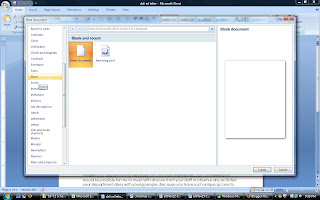 Check out the flyer templates that are available in MS Word when you choose to create a NEW document.
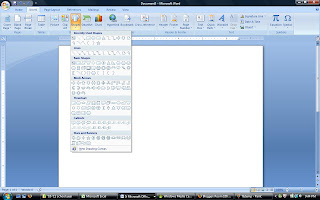 Try working with the shapes Word allows you to draw. These can be really useful when designing a flyer...
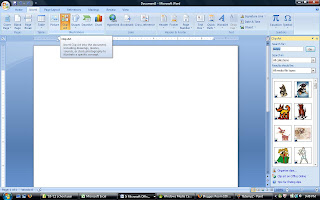 Try using clip art, too. This can be a fun addition to your design!
Quiz Prep! Do you remember all the steps to make a chart? Try making a simple chart in the last 15 minutes of class to be sure you're prepared for the quiz.
Quiz on MS Excel. Do you know how to make a chart?
The Quiz is located at msluzzi.wordpress.com
Then...
Dun-duh-duh-daaaaaa.... Let's make a cool newsletter, dudes!
You can choose any template from the template options in Word... then you just replace the text from the template with your own text.
A newsletter is a lot like a blog, except it's printed out and intended for a more limited audience.
YOUR ASSIGNMENT: Today and tomorrow, find out some Winter Fun events in either your neighborhood, the school's neighborhood, within the AGL community, or just around the city.
BPL
QPL
Prospect Park
Central Park
Ms Luzzi, why are we making newsletters? and... What is a newsletter, anyway? Wikipedia says: newsletters are published by clubs, churches, societies, associations, and businesses, especially companies, to provide information of interest to their members, customers or employees.
A newsletter is a type of publication, often printed, but just as often published online. For more about what a newsletter is, read the assignment intro from yesterday.
And as for WHY we are doing this, by doing this project you will:
Friday, December 10, 2010
Work Period: Newsletters
Using MS Word for basic graphic design. Today you'll use Word to make an advertising flyer.
STEP 1: Go into your Microsoft Office folder.
STEP 2: Open Word
STEP 3: Open a new blank document.
STEP 5: Design a flyer which includes the following information:
Art Club
Room 313
Thursdays
3:45pm
It should also include a page boarder, a picture that's appropriate to the subject, and should use at least 2 different fonts.
STEP 6: You can add any other information you think is important, for instance: Art Club is Totally Awesome! or Art Club is for EVERYONE! or Art Club is Open to All!
STEP 7: Show it to a classmate to get their opinion.
STEP 8: If you don't need to make any changes, print it!
homework!!!: Come up with your own flyer info for tomorrow. You'll make a flyer for your own club, cause, or something you think others need to know about.
Tuesday, December 7, 2010
Make your flyer from the content you came up with for homework.Last night for home work you should have come up with an idea for a flyer on your own topic. It should include any important information that people need to know about your group or cause.
 Check out the flyer templates that are available in MS Word when you choose to create a NEW document.
 Try working with the shapes Word allows you to draw. These can be really useful when designing a flyer...
 Try using clip art, too. This can be a fun addition to your design!
***One Big Question About Making a Flyer...
How Can I Get People to NOTICE MY MESSAGE!!??***
How Can I Get People to NOTICE MY MESSAGE!!??***
Quiz Prep! Do you remember all the steps to make a chart? Try making a simple chart in the last 15 minutes of class to be sure you're prepared for the quiz.
Wednesday, December 8, 2010
HAPPY QUIZ DAY, EVERYBODY!Quiz on MS Excel. Do you know how to make a chart?
The Quiz is located at msluzzi.wordpress.com
Then...
Dun-duh-duh-daaaaaa.... Let's make a cool newsletter, dudes!
You can choose any template from the template options in Word... then you just replace the text from the template with your own text.A newsletter is a lot like a blog, except it's printed out and intended for a more limited audience.
YOUR ASSIGNMENT: Today and tomorrow, find out some Winter Fun events in either your neighborhood, the school's neighborhood, within the AGL community, or just around the city.
- Open a Newsletter Template in Ms Word
- Go to the internet and search for wintertime events in the city.
- Go back to your newsletter template and make a title like: Winter Fun or Snow Days, or something wintry like that.
- Write an introductory paragraph.
- Cut and paste events you've found from the internet into your newsletter. It only needs to be one page, but you must include at least 3 winter events (with their dates and times).
- You must include at least one winter or holiday illustration or photo.
- The events in your flyer must be real.
- Some resources to try for finding events:
BPL
QPL
Prospect Park
Central Park
YOU MUST TURN IN A COMPLETED NEWSLETTER THAT MEETS ALL THE SPECIFICATIONS INDICATED HERE BY THE END OF CLASS ON FRIDAY (OR MONDAY IF YOU'RE IN 1ST PER. COMP. APS.).
Thursday, December 9, 2010
Newsletters: What's the Point???Ms Luzzi, why are we making newsletters? and... What is a newsletter, anyway? Wikipedia says: newsletters are published by clubs, churches, societies, associations, and businesses, especially companies, to provide information of interest to their members, customers or employees.
A newsletter is a type of publication, often printed, but just as often published online. For more about what a newsletter is, read the assignment intro from yesterday.
And as for WHY we are doing this, by doing this project you will:
- Impove your research skills
- Become more facile in MS Word
- Understand how to use a template
- Learn some interesting goings-on in the city this winter
Friday, December 10, 2010
Work Period: Newsletters
Monday, November 29, 2010
week of Nov. 29 - Dec. 3
Welcome back from Turkey Break!
This week we will begin working with MS Excel.
This post will be updated during the week, so check back here from time to time for more details.
MONDAY'S HOMEWORK:
Design a simple survey to conduct among your friends and family to do your first MS Excel Chart!
(More details on how to do this will be given in class today)
TUESDAY - NOVEMBER 30
Yesterday you saw how we can turn simple data into an interesting and attractive graph. For homework you cam up with a survey question and should have begun collecting data. Today we will look at a couple of ways to organize the data you're collecting to prepare for entry into Excel.
We will also have an opportunity to interview one another for our surveys.
WEDNESDAY - DECEMBER 1
Catching up and regrouping
THURSDAY - DECEMBER 2
WE NEED TO HAVE A LITTLE TALK... The computers have all been repaired, but there are some important changes.
***Period 6 and 7***
data entry (type your survey data into an Excel spreadsheet and create a graph from your data.
Copy/ paste your graph into an MS Word document.
Type your name and class period under the graph and print it. Give me the print-outs.
When you have finished, please make sure you have completed 2 blog posts this week. I will be checking over the weekend.
Is there anything else you need to catch up on?
Next week we'll being to look at some more elements of the MS Office Suite.
extra: some fun things you can do with Excel...
Try clicking HERE to create a piece of Excel artwork! You download the spirograph spreadsheet, then change the numbers to design a unique work of art!
Click HERE if you're a little more advanced in Excel.
Check out some more ART made in MS Excel!
And... by the way... my 1st period class may remember a conversation we had about learning game design. Did you know you could make GAMES in Excel???
Period 1 - Lucky you, it's Week A and you have a full hour of fun with MS LUZZI!!! OMG, You are SO LUCKY!
By the way, by now your blog posts should be as awesome as mine. No lie.
Anyway...
Today, let's continue/ conclude the joy we've been cultivating through MS Excel.
THIS WEEK:
Please write 2 blog posts... free-write. any topic. I will check these over the next weekend.
This week we will begin working with MS Excel.
This post will be updated during the week, so check back here from time to time for more details.
MONDAY'S HOMEWORK:
Design a simple survey to conduct among your friends and family to do your first MS Excel Chart!
(More details on how to do this will be given in class today)
TUESDAY - NOVEMBER 30
Yesterday you saw how we can turn simple data into an interesting and attractive graph. For homework you cam up with a survey question and should have begun collecting data. Today we will look at a couple of ways to organize the data you're collecting to prepare for entry into Excel.
We will also have an opportunity to interview one another for our surveys.
WEDNESDAY - DECEMBER 1
Catching up and regrouping
THURSDAY - DECEMBER 2
WE NEED TO HAVE A LITTLE TALK... The computers have all been repaired, but there are some important changes.
***Period 6 and 7***
data entry (type your survey data into an Excel spreadsheet and create a graph from your data.
Copy/ paste your graph into an MS Word document.
Type your name and class period under the graph and print it. Give me the print-outs.
When you have finished, please make sure you have completed 2 blog posts this week. I will be checking over the weekend.
Is there anything else you need to catch up on?
Next week we'll being to look at some more elements of the MS Office Suite.
extra: some fun things you can do with Excel...
Try clicking HERE to create a piece of Excel artwork! You download the spirograph spreadsheet, then change the numbers to design a unique work of art!
Click HERE if you're a little more advanced in Excel.
Check out some more ART made in MS Excel!
And... by the way... my 1st period class may remember a conversation we had about learning game design. Did you know you could make GAMES in Excel???
********************************
TGIF! - December 3Period 1 - Lucky you, it's Week A and you have a full hour of fun with MS LUZZI!!! OMG, You are SO LUCKY!
By the way, by now your blog posts should be as awesome as mine. No lie.
Anyway...
Today, let's continue/ conclude the joy we've been cultivating through MS Excel.
- Try THIS lesson to learn a few more things about making a chart in Excel.
- Want to review the basics? Try THIS.
- More about formatting and the math Excel can do? Click HERE.
- Wanna know what I had for dinner last night?
- Wanna try a cool challenge (and listen to lame Goth music at the same time)? Click HERE and see how to make cool (but simple) art in Excel! The person who developed this lesson uses the Google logo, but any image could be used for a template here.
- Want to learn everything you ever need to know about Excel. HERE is a suite of lessons.
LEARN. EXPLORE. HAVE FUN!
THIS WEEK:
Please write 2 blog posts... free-write. any topic. I will check these over the next weekend.
Tuesday, November 23, 2010
Monday, November 22, 2010


Sunday, November 21, 2010
Period 1; Week of Nov. 22- Nov. 24

Dear Period 1 Students,
Some of your blog URLs don't seem to be working. Please check in with me to make sure I have the correct URL for your blog.
Thanks,
Ms L.
Period 1, 6 & 7; Week of Nov. 22- Nov. 24
Computer Apps:
Here are your assignments for the week. As usual, at the beginning of each class there will be a little review, a short lesson, and maybe some notes, but here you can see what you will have to be able to do.
REMEMBER: This is the 2nd week of the second marking period. The semester's end will come sooner than you think!
Monday, 22:
Today we will learn to add some media to our blog posts.
TODAY'S ASSIGNMENT
Create a new post which includes a photograph.

Tuesday, 24:
Review for Quiz!!!
TODAY'S ASSIGNMENT
Make sure you are able to do everything that will be required for the quiz. Practice making links, using comment features and tagging your posts. You may Tag and Link in posts you have already written by using the EDIT POST option in your Dashboard. Make sure your blog is functioning normally, that you KNOW your user name and password, and that Ms Luzzi has your URL address!
Wednesday, 25:
Quiz Day!
TODAY'S ASSIGNMENT
We will have a quiz in class. Following the quiz, catch up on reading your favorite blogs or doing some work on your own.
This is the last day that we will be focusing on blogging in class. You will be required to maintain your blog, adding 2 posts a week, for the duration of the semester, however, our in-class work together will be focused on MS Office programs beginning next week.
HAVE A GREAT THANKSGIVING!!!
Subscribe to:
Posts (Atom)